Direct the engine.
From inside the engine.
A native chat for the Unreal Editor. Execute real production tasks across Blueprints, Niagara, Sequencer, PCG and more — deep into the systems UE ships with — from a single conversation.
What SLASH does
better than anything else.
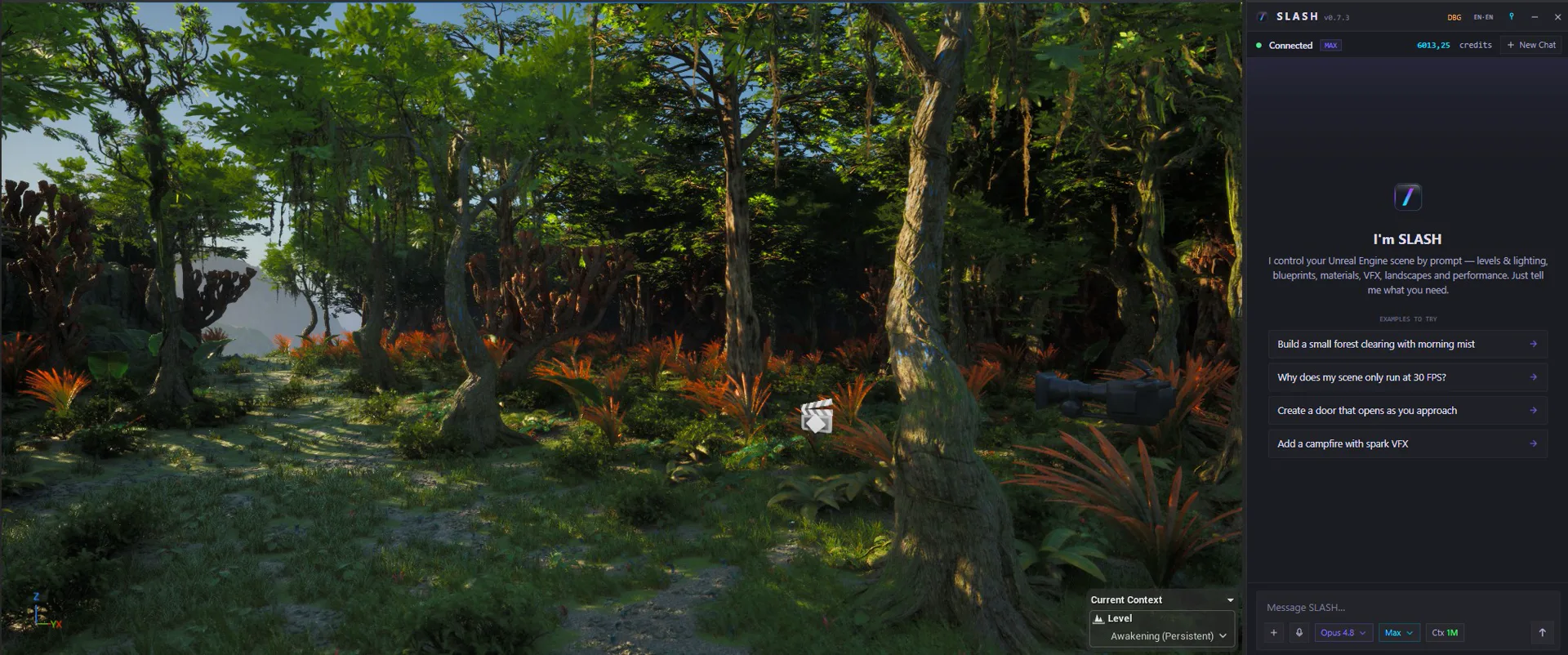
A chat window
that is the editor.
SLASH runs in its own window right beside the editor — wired live into your session. It reads scene context, executes real actions through the editor API, and writes to the same undo stack as any tool you know.
One prompt.
Every system.
Blueprints, materials, Niagara, Sequencer, PCG, landscape, and editor tooling — addressable from a single conversation. No context-switching between panels. And it doesn’t crawl: whole function sets land in one pass, with engine round-trips measured in milliseconds.
Design it in Claude Design.
Build it in UMG.
Sketch a menu or HUD as HTML — in Claude, in a browser, wherever you like. Hand SLASH the file and it rebuilds the design as a real UMG widget: layout, palette and spacing carried over, every element named so you can bind it right away.
An empty level.
A whole village.
Landscape, roads, structures, fences, props, vegetation and lighting. SLASH works through the build in phases and checks each placement as it goes, so buildings sit on the ground instead of floating over it.
Describe the effect.
Watch it run.
Emitters, modules, bursts and simulation parameters. Ask for fire, smoke or water and SLASH builds the Niagara system, spawns it where you set your marker, and captures the result to check its own work before handing it back.
Graphs you can
actually read.
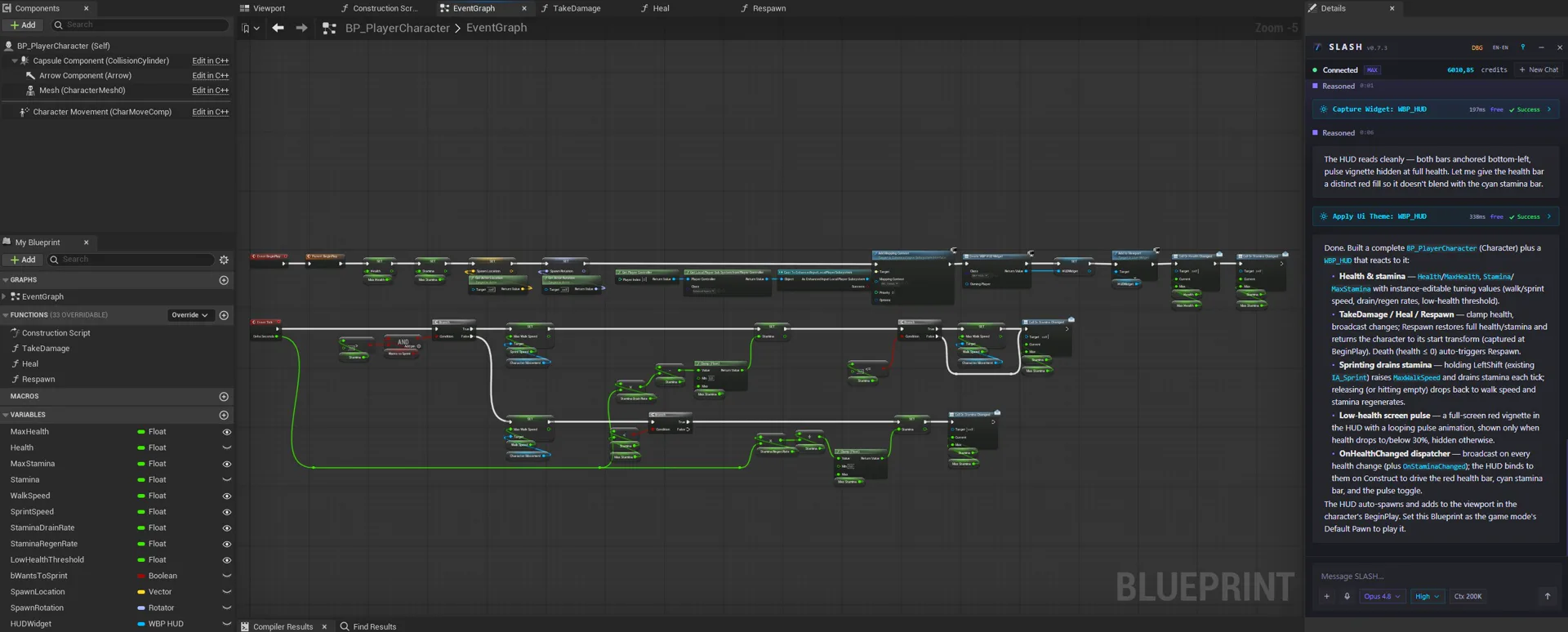
Node spaghetti is optional. SLASH’s layout engine orders execution left to right, aligns the rows, and untangles the wires — one click in the Blueprint toolbar.
Built for production.
Actor Control
Spawn, group, transform, spline-align, and batch actors across a level. Inherits context from your selection.
Blueprint Injection
Generate nodes, wire logic, refactor graphs, and inspect pins — inside the Blueprint editor.
Materials & Assets
Author material graphs, tag and import assets, organize the Content Browser from plain description.
Niagara Particles
Emitters, modules, bursts, simulation parameters. Live preview, no DAG archaeology.
Sequencer & Cinematics
Bind tracks, key frames, craft shot lists, and drive camera rigs from a description.
Editor Tooling
Settings, windows, viewport cameras, console commands — the editor’s daily controls from one prompt.
From prompt to production
in three steps.
Install the plugin
Drop SLASH into your UE 5.7 or 5.8 project. One restart. Put the chat window wherever you work best.
Open the chat
The chat reads your open level, selected actors, and current editor context. No setup prompts, no config.
Direct the engine
Describe the change. SLASH invokes the real UE API, writes to the undo stack, and returns inspectable results.
Stop clicking.
Start directing.
50 free credits to start. No card. Works in any UE 5.7 or 5.8 project on Windows.